feature ·
One folder for every machine
Models, datasets and outputs live in one place that every machine can read.
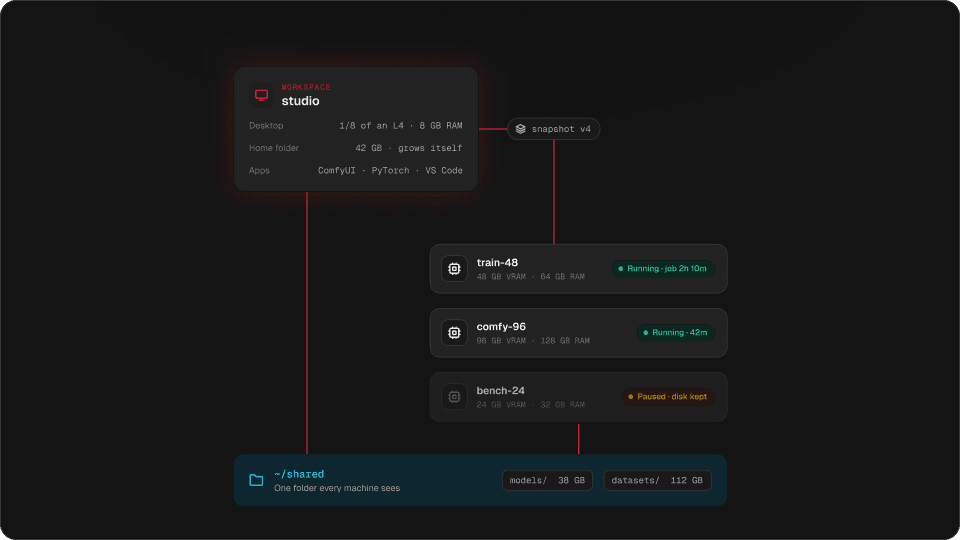
Put a checkpoint in the shared folder once, and every GPU machine in the workspace reads it. The machine you start tomorrow has your models before you open it.
A new pod means a new download. A 20 GB checkpoint, a few LoRAs and a dataset, and the first hour is gone before the first render. Then the pod is deleted and the files go with it.
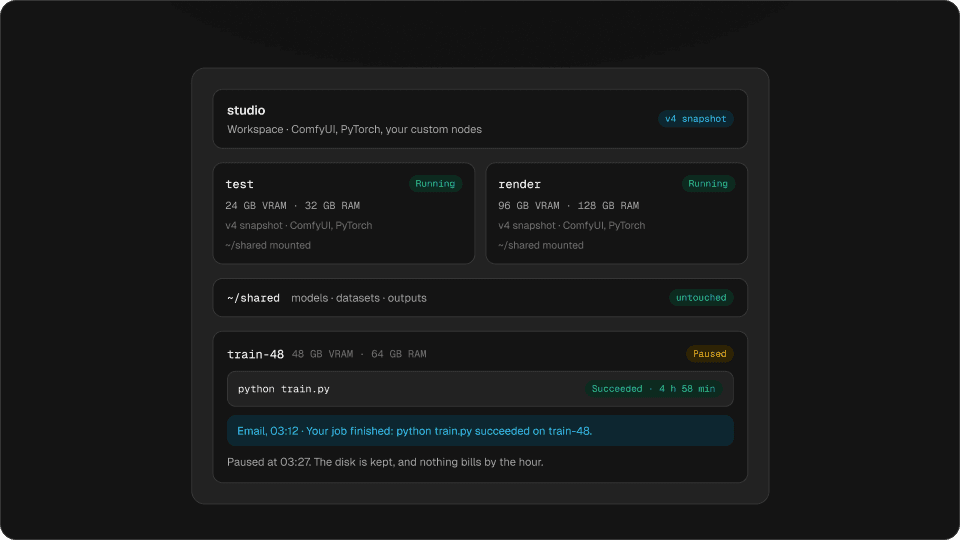
Every Hinode workspace has a shared folder, ~/shared. The workspace and every machine in it see the same one, and deleting a machine never touches it.
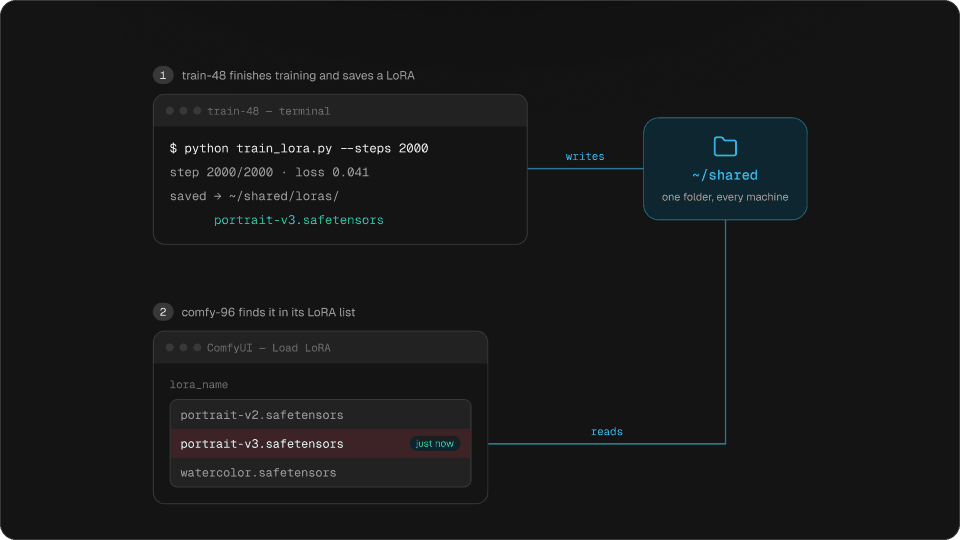
1train-48 finishes training and saves a LoRA
$ python train_lora.py --steps 2000
step 2000/2000 · loss 0.041
saved → ~/shared/loras/
portrait-v3.safetensors
2comfy-96 finds it in its LoRA list
lora_name
What goes in the shared folder
Try it
Where does each file go?
A Python environment is thousands of small files. It stays in your home folder, where it is fast.
Big, finished files go in the shared folder. Things made of many small files stay in your home folder.
The shared folder reads big files fast, and from several machines at once. It is slow with thousands of small files, so a Python environment or a git checkout belongs in your home folder, which is on the machine’s own fast disk.
How fast it is
Try it
How long does it take to load?
A file saved on one machine shows up on another in about 64 ms.
Measured on Hinode machines. Reading a 20 GB model and a 50 GB dataset takes about four minutes the first time.
Read a file once and the machine keeps a copy in a local cache, so the second read is about twice as fast again. A file one machine writes shows up on the others in about 64 milliseconds, so a LoRA a training machine saves is ready in ComfyUI on another.
No size to pick
The shared folder has no size to choose and nothing to provision. You pay for what is in it, by the gigabyte. It lives in your workspace’s region, in the US or in Europe, and it stays there.
Getting your models in
Download straight into it from any machine, with wget, huggingface-cli or the Civitai link you already use. Copy from your own computer with scp or rsync over SSH:
rsync -a ./loras/ studio:~/shared/loras/On a Mac or a Windows PC, the Hinode app also puts the workspace’s home folder in Finder or Explorer, so you can drag files in.
Questions
Do I have to download models again for every GPU machine?
No. Put them in ~/shared once, and every machine in the workspace reads them.
What happens to the shared folder when I delete a machine?
Nothing. It is not on any machine. It goes only when you delete the workspace.
How big can the shared folder be?
There is no size to pick. It grows with what you put in it, and you pay for what is stored.
Should I put my Python environment in the shared folder?
No. Environments and git checkouts are many small files and belong in your home folder, where they are fast.