feature ·
One workspace, many machines
Set it up once. Every machine you start opens it and sees the same folder.
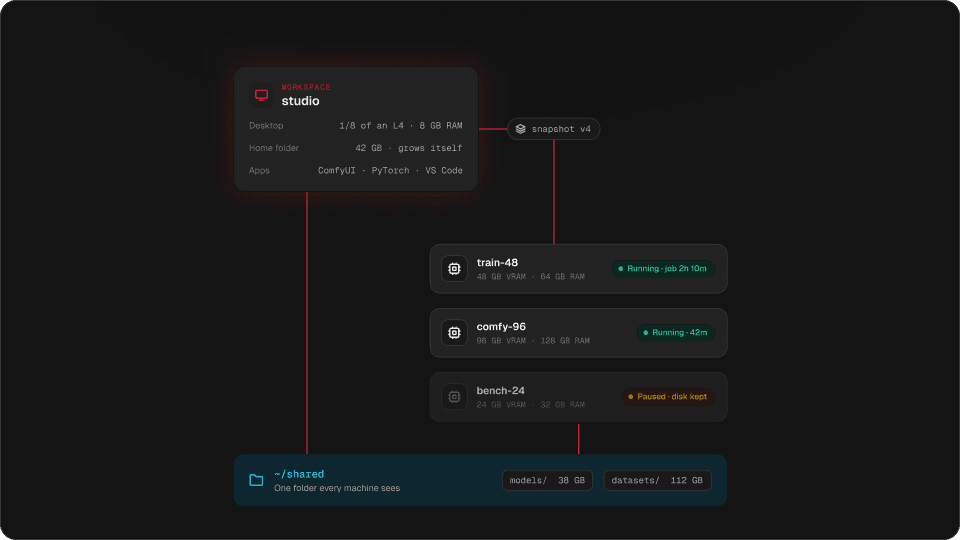
Your setup lives in one place now. Start a small GPU to test and a big one to render, and both open with the same apps, the same settings and the same models.
On most GPU clouds, the setup belongs to the pod. Pick a bigger card and you start again: rebuild the Python environment, download the checkpoints, fix the custom node that broke. It is half an hour before the first render, every time.
Hinode splits that in two. The workspace is where your setup lives. Machines are the GPUs you start from it, as many and as big as the work needs.
The workspace keeps your setup
The workspace is a small Linux computer with a desktop, a slice of a graphics card and an address that does not change. You install your tools there: ComfyUI, a Python environment, your custom nodes, your settings. When it is right, you save a snapshot.
It pauses itself when nobody is using it, and a pause deletes nothing.
Machines bring the GPU
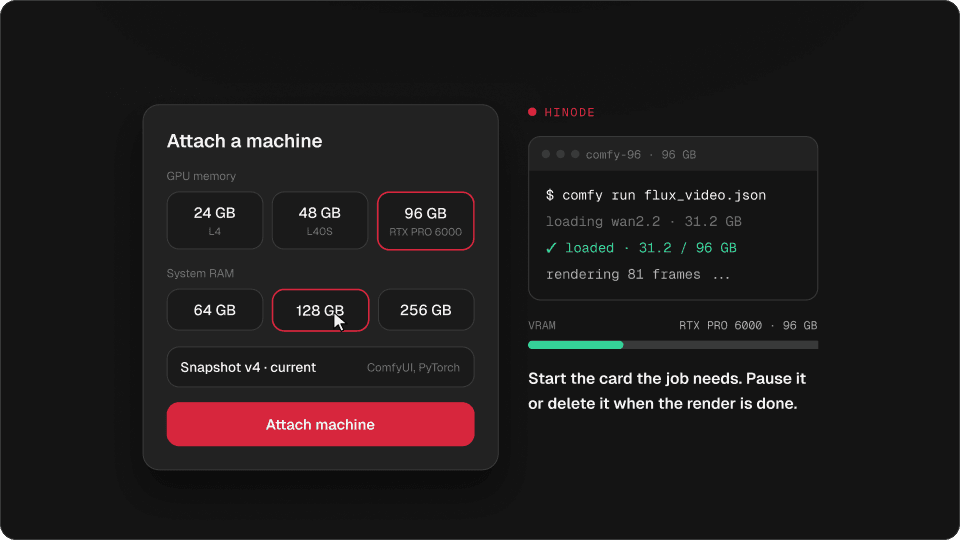
When the work needs a whole card, you attach a machine. You pick the graphics memory (24, 48 or 96 GB) and the system memory (32 to 256 GB). The machine starts from your newest snapshot, so ComfyUI is already installed, your nodes are there, and your models are in the shared folder.
Try it
Attach a few machines, then delete one
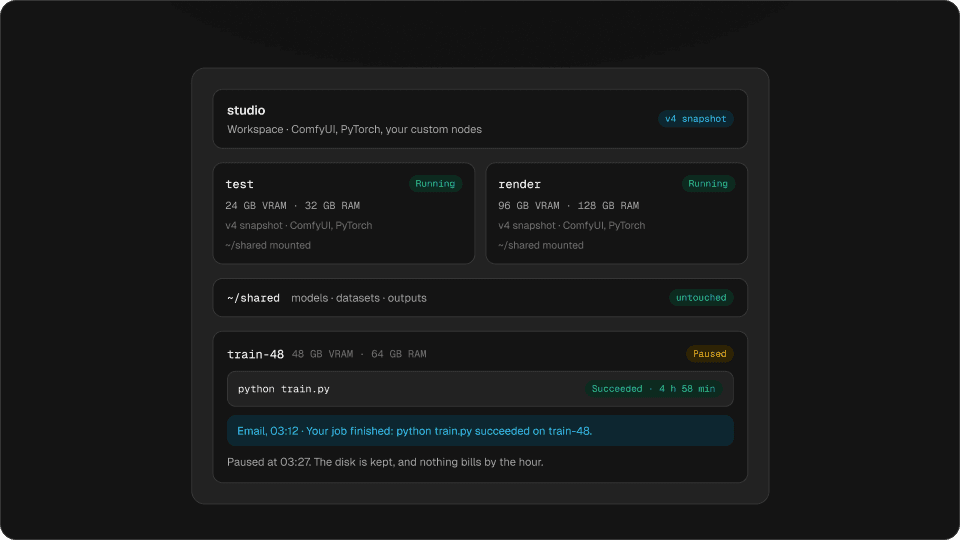
studio
Workspace · ComfyUI, PyTorch, your custom nodes
- testRunning
24 GB VRAM · 32 GB RAM
v4 snapshot · ComfyUI, PyTorch
~/shared mounted
- renderRunning
96 GB VRAM · 128 GB RAM
v4 snapshot · ComfyUI, PyTorch
~/shared mounted
Try it: attach a few machines, then delete one. The shared folder does not change.
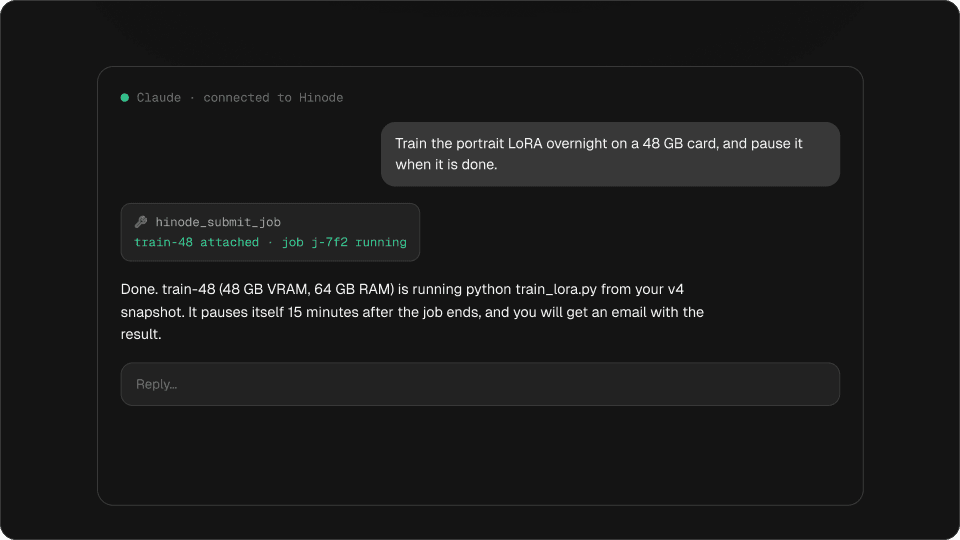
Test a workflow on 24 GB. Render the final at 96 GB. Train overnight on 48 GB. It is the same setup each time, with nothing to reinstall.
What happens to each machine
Try it
What a machine costs in each state
48 GB VRAM · 64 GB RAM
$0.00/hr · disk kept
Bills
- No: the hourly rate
- Yes: its disk, $0.15/GB-month
- Yes: the shared folder
Kept
- Yes: what you installed
- Yes: its home folder
- Yes: the shared folder
- Running: it is on, and it bills.
- Paused: you stopped it, or it paused itself. What is installed is kept, and resuming takes a couple of minutes.
- Deleted: its own disk is gone. The shared folder is not on the machine, so it is untouched.
A running machine is never changed underneath you. If you save a newer snapshot while it runs, its card tells you, and the next machine you attach starts from the new one.
More than one workspace
An account can hold several workspaces. People use a second one to keep a client’s work apart, or to try something risky away from the setup that has to keep working.
Questions
Can I switch to a bigger GPU without reinstalling everything?
Yes. Attach a bigger machine. It starts from your workspace snapshot, with your apps and settings, and it sees the same shared folder.
How many GPU machines can I run at once?
There is no set limit per workspace. Each machine bills while it runs and pauses itself when idle.
Is this like a RunPod network volume?
It covers the same need and more. The shared folder holds models and datasets, like a network volume. The snapshot also carries your installed apps and settings, so a new machine needs no template or setup script.
What happens to my files when I delete a machine?
The machine’s own disk goes with it. The shared folder and the workspace keep everything.