feature ·
Pick the card the model needs
24 to 96 GB of VRAM, 32 to 256 GB of RAM. Your apps and files are already there.
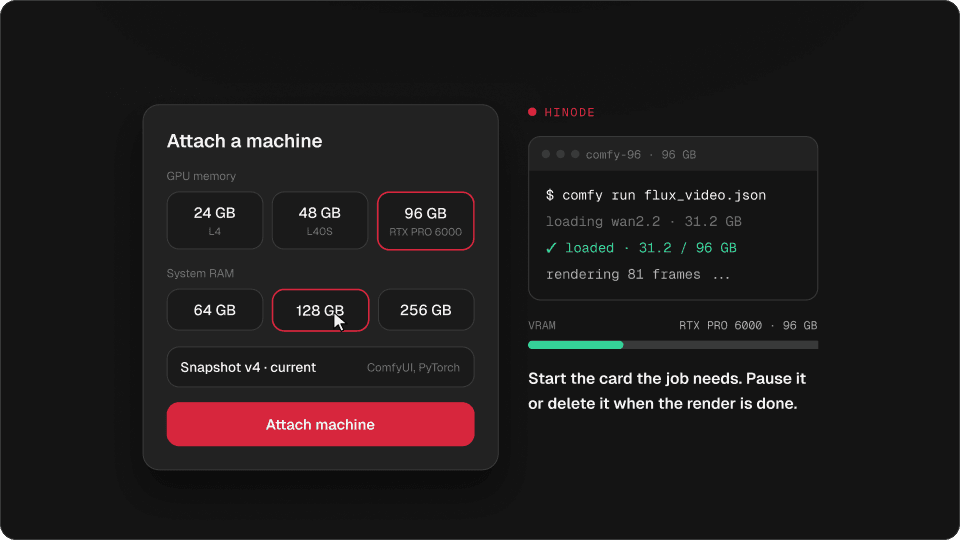
A video model that runs out of memory on 24 GB fits on 96. Pick the graphics memory and the system memory separately, and the machine starts with your setup on it.
“CUDA out of memory” is where a lot of work stops. Video models, big checkpoints at full precision and long LoRA runs want more VRAM than a desk card has. The usual fixes cost quality: a quantized or fp8 model, a smaller batch, a lower resolution, tiling that leaves seams.
A Hinode machine lets you pick the card for the model instead. You choose two numbers: how much graphics memory, and how much system memory.
$ comfy run flux_video.json
loading wan2.2 · 31.2 GB
CUDA out of memory
job killed · 11 min lost
The job dies. The model needs more memory than the card has, and a bigger pod starts empty.
Attach a machine
GPU memory
System RAM
$ comfy run flux_video.json
loading wan2.2 · 31.2 GB
✓ loaded · 31.2 / 96 GB
rendering 81 frames ...
Start the card the job needs. From $1.75 to $12.58 an hour. Pause it or delete it when the render is done.
11 sizes, one card each
Try it
Find the smallest size that fits
24 GB VRAM
—
not offered
—
not offered
—
not offered
—
not offered
48 GB VRAM
—
not offered
—
not offered
—
not offered
—
not offered
96 GB VRAM
—
not offered
—
not offered
—
not offered
—
not offered
$ hinode run --size 48x64 "python render.py"Move the sliders to what your model needs. The smallest size that fits lights up.
Each machine has one whole card, and nothing else is scheduled on it while it runs. Four 24 GB cards do not add up to one 96 GB card, so Hinode sells the card the model needs rather than a pile of small ones.
How to choose a GPU for your model
- 24 GB (NVIDIA L4): SDXL and Flux image workflows, LoRA training for images, small language models, and testing a workflow before the big run.
- 48 GB (NVIDIA L40S): video models that crash on 24 GB, bigger batches, and fine-tuning mid-size models.
- 96 GB (RTX PRO 6000): the heaviest video models at full precision, and large language models without quantization.
System memory matters too. Models load through RAM, and datasets, caches and ComfyUI’s model offloading live there. If a workflow swaps or gets killed while loading, pick more RAM, not a bigger card.
Your setup comes with it
Every size starts from your workspace snapshot. ComfyUI, your custom nodes and your Python environment are already installed, and your models are in the shared folder. Moving from 24 to 96 GB is one new machine, not an afternoon of setup.
hinode run --size 96x128 "python render.py"The command prints the hourly price before it starts anything. hinode machine sizes lists every size, and the pricing table has what each one costs.
When a size is busy
GPU capacity is shared by everyone in a region. If the size you asked for is not available right now, nothing starts and nothing is charged. Try again in a minute, or pick another size.
Questions
How much VRAM do I need?
Enough to hold the model weights plus the activations for your resolution and batch size. If it runs out of memory on 24 GB, try 48 GB. The heaviest video and language models want 96 GB.
Which GPUs does Hinode use?
NVIDIA L4 for 24 GB, NVIDIA L40S for 48 GB, and NVIDIA RTX PRO 6000 for 96 GB.
Can I run a model at full precision instead of fp8?
Yes, if it fits. A 96 GB card holds most models without quantization.
Do I get the whole GPU?
Yes. A machine has one whole card, and nothing else runs on it while it is yours.
Can I change the size later?
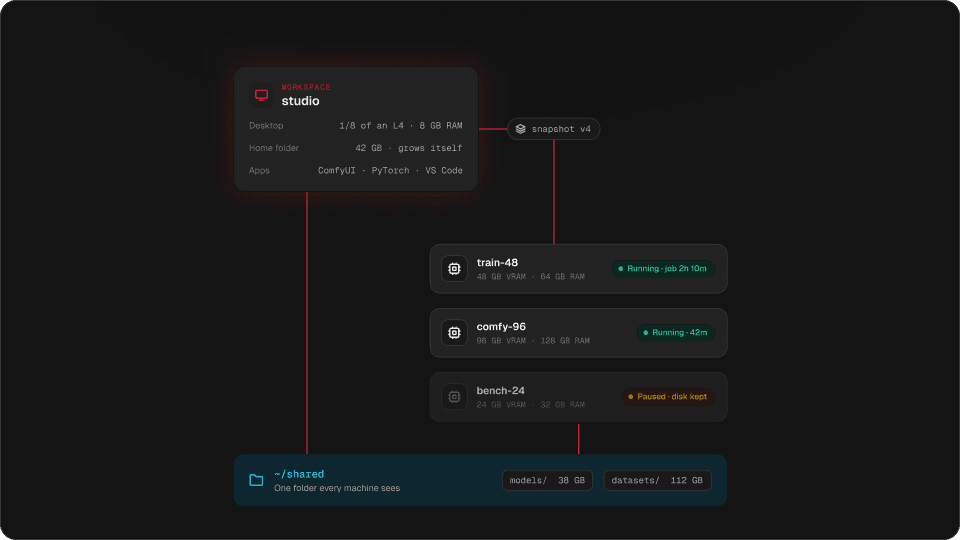
Attach a machine of another size. It starts from the same snapshot and sees the same shared folder.