Docs / Doing the workAll pages
07 · Doing the work
Jobs
A job is one command handed to a machine, with an outcome you can read afterwards. It is how you start a training run and stop watching it.
3 min read · prices are today’s
On this page6 sections
Starting one
From a terminal, one command asks for a machine and runs your command on it:
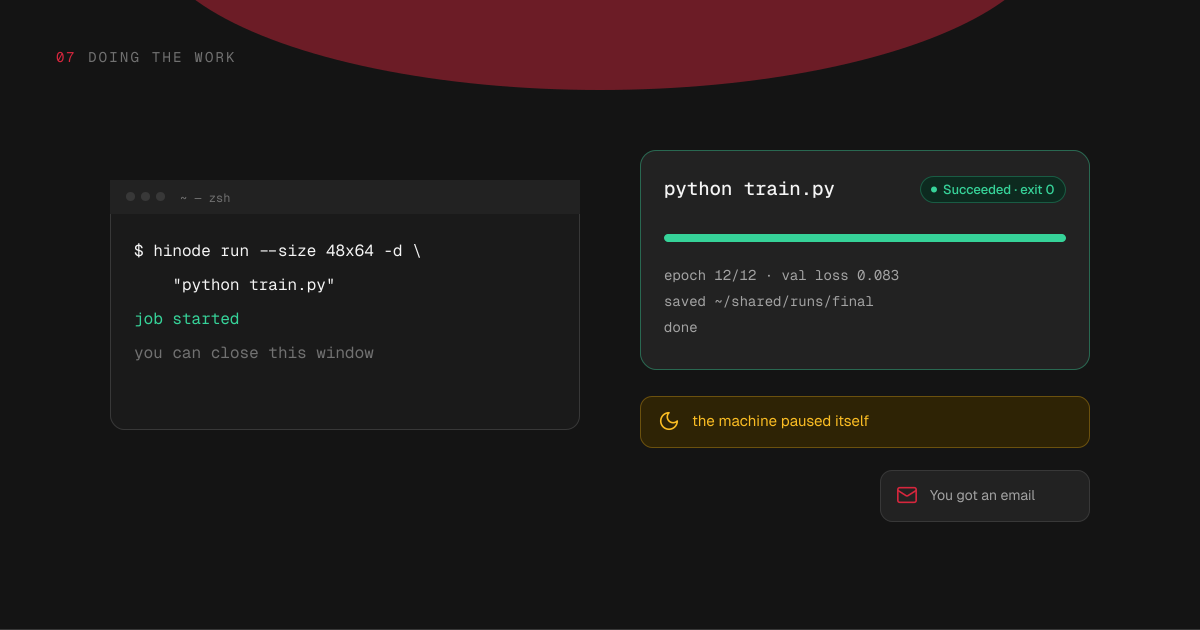
hinode run --size 48x64 "python train.py"The size is graphics memory by system memory, and the command prints what that machine costs an hour before it starts anything. Add -d to hand the job over and get your terminal back; without it, the command follows the job to its end and exits with the job's own exit code.
To use a machine you already have, name it instead of a size:
hinode run --machine train "python eval.py"The workspace screen lists jobs too, and an assistant connected to your account can submit one for you.
One after another
A machine starts every job you give it at once, side by side. To run one only after another has finished — train once the install is done — name the first job with --after:
hinode run --machine train -d "pip install -r requirements.txt"
hinode run --machine train -d --after <job> "python train.py"The second job waits as Queued and starts the moment the first one succeeds. If the first one fails or is cancelled, the second ends as Failed without running. The job it waits on can be on another machine in the same workspace, and a chain can be as long as you like. An assistant does the same when it submits a job, so it can queue the whole sequence and leave it running.
11:42 pm · your laptop
~ — zsh$ hinode run --size 48x64 -d \
"python train.py"
job j-7f2 started
2:46 am · while you sleep
python train.pySucceededtrain-48 · 3h 04m · $12.14
train-48 paused itself at 3:01 am8:05 am · your inbox
HinodeYour job finished: python train.py
3h 04m on train-48, exit 0. The machine paused itself.
While it runs
The job runs whether or not anything is connected. Close the laptop; the machine keeps working.
hinode job logs <job> -f shows what the command is printing, live, from the machine. hinode job list shows every job in the workspace and how each one ended. hinode job cancel <job> stops it: the processes get a few seconds to write out what they have, and then they are stopped, so a cancel takes seconds rather than being instant.
A running job counts as work, so the machine does not pause itself under it. That holds for a quiet job too: downloading a dataset with the graphics card idle is still work.
How it ends
A job waits as Queued while its machine is paused or starting, and while the job it runs after has not finished. Once it has run, it ends one of three ways:
- Succeeded — the command exited with code zero.
- Failed — the command exited with any other code, and the job shows it. Or the command never got to run — the machine stopped under it, or the job it was to run after did not succeed — and then the job says why and shows no exit code, because no program of yours returned one.
- Canceled — you stopped it.
Every job keeps how long it ran and the end of what it printed. The end of the log stays readable after the machine pauses itself and after the machine is deleted, because the machine sends it as it goes and again when the job ends. The whole log lives on the machine while the machine exists.
Try it
How a job ends, and whether you hear about it
Outcome
Emails
Ran for
Emailed. It ran for more than a couple of minutes.
After it ends
The machine stays yours. It takes the next job without being set up again, and it pauses itself after 15 minutes with nothing running, so a job that ends at three in the morning stops billing shortly after, on its own.
What the job wrote to the shared folder is there for every other machine in the workspace. What it wrote to the machine's home folder stays on that machine.
Emails
You get an email when a job that ran for more than a couple of minutes ends. Jobs that end around the same time arrive as one message. A job you cancelled is never emailed.
hinode job emails changes that: all for every job, long for the default, failures for only the ones that failed, and none for silence.

