Docs / The workspaceAll pages
05 · The workspace
Snapshots of your workspace
A snapshot is what is installed on your workspace, saved as a numbered version. Every machine you attach starts from one, so you set things up once and never again.
2 min read · prices are today’s
On this page4 sections
What a snapshot holds
The programs you installed on the workspace, the applications from the catalog, and your settings. Not the shared folder: that is one folder every machine already sees, so models and datasets never need to be in a snapshot.
A machine gets its own copy of the snapshot on its own disk, so it behaves like a computer you set up by hand.
Saving one
Press Save on the workspace screen, run hinode env promote on your computer, or ask your assistant. The workspace stops writing to disk for a second or two, then you keep working while the copy finishes in the background. New machines use the version once it is complete.
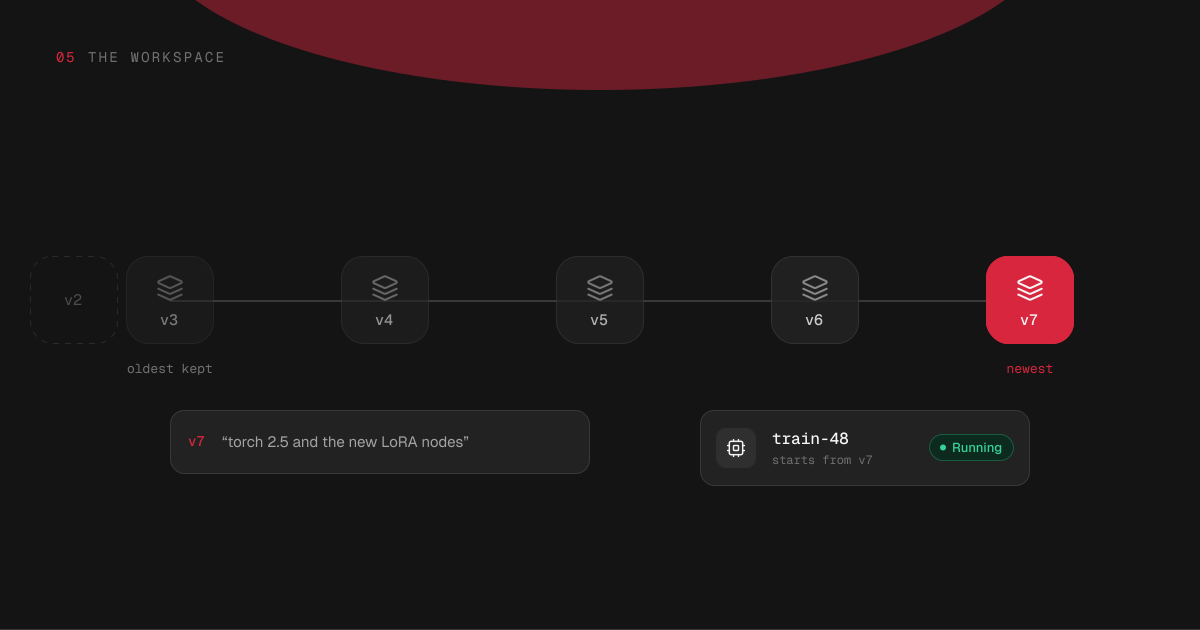
Give it a line saying what changed — "torch 2.5 and the new LoRA nodes". You can add or change that line later, from the workspace screen or with hinode env describe. The workspace screen and hinode apps both show what you installed after the last save, so nothing is left out by accident.
Try it
Five versions are kept
- v2removed
- v3kept
- v4kept
- v5kept
- v6kept
- v7newest
started from v7
Which one a machine gets
A new machine starts from the newest complete version. The attach dialog shows which one that is, and lets you pick an older one instead — the way to check whether something broke with the last change.
A machine that is already running is never changed underneath you. It keeps the version it started with, and the machine card says when a newer one exists. To move a machine to the newer version, attach a fresh one.
Anything you install on a machine stays on that machine and goes when it is deleted. If it is worth keeping, install it on the workspace and save again.
How many are kept
The five newest versions are kept. Saving a sixth removes the oldest, along with its note. Version numbers keep counting and are never reused, so a number always means the same snapshot.
Snapshots are not billed on their own line. What you pay for is the workspace's disk and each machine's, at $0.15 per GB a month for what is written on them.

