Docs / The workspaceAll pages
04 · The workspace
Where your files live
Three places, and the difference between them is what survives what.
3 min read · prices are today’s
On this page5 sections
Your home folder
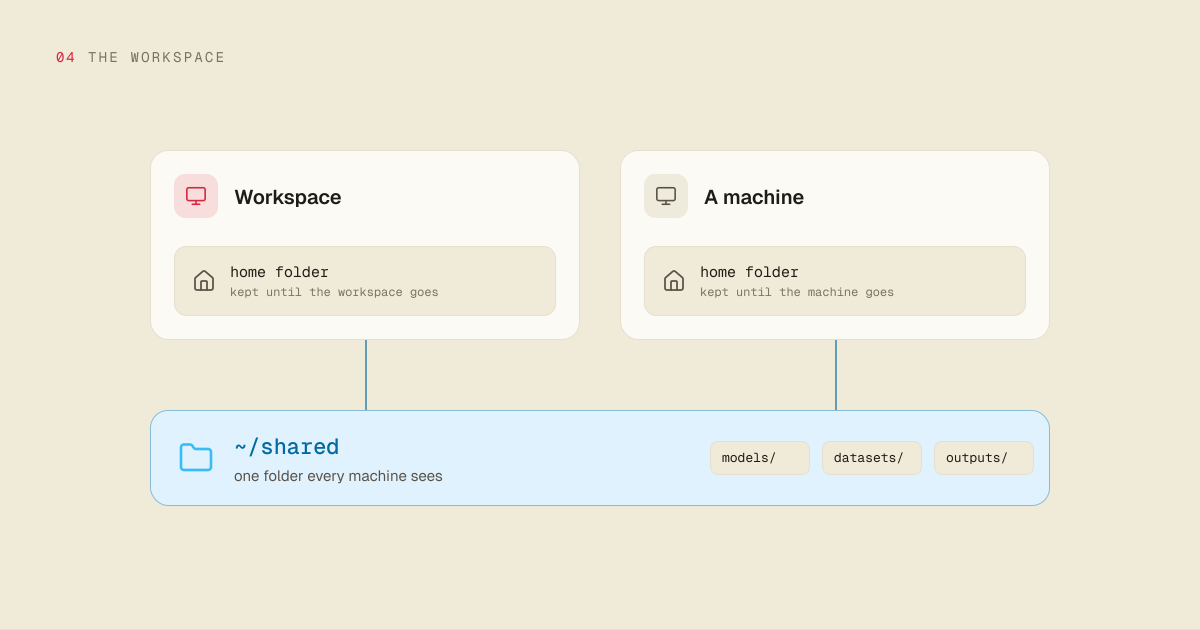
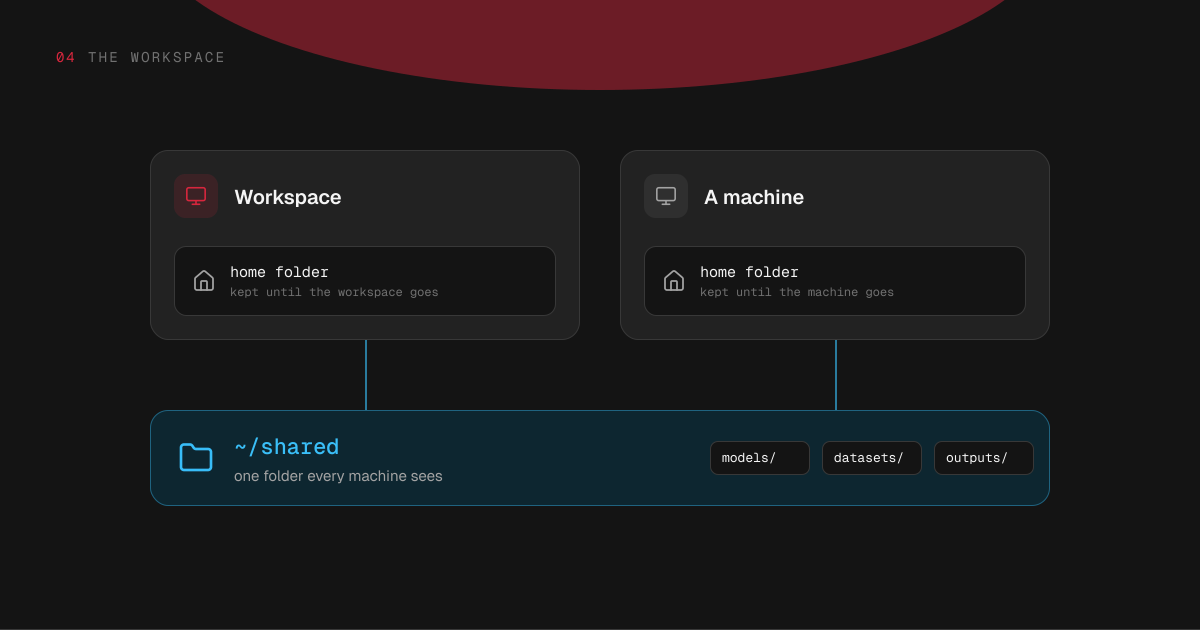
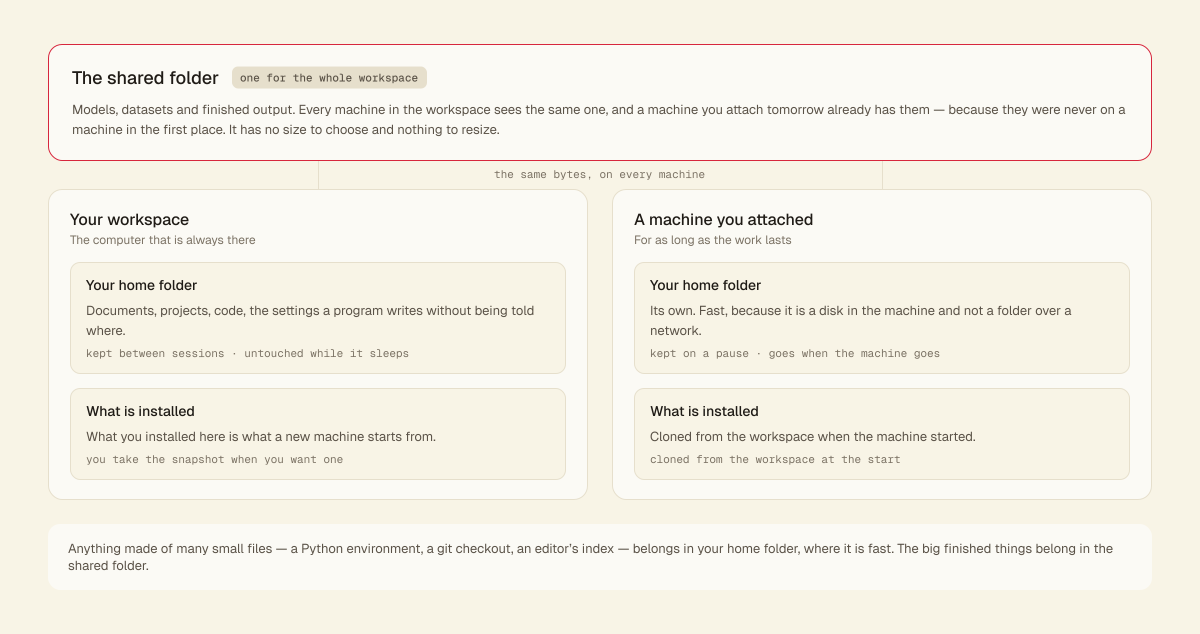
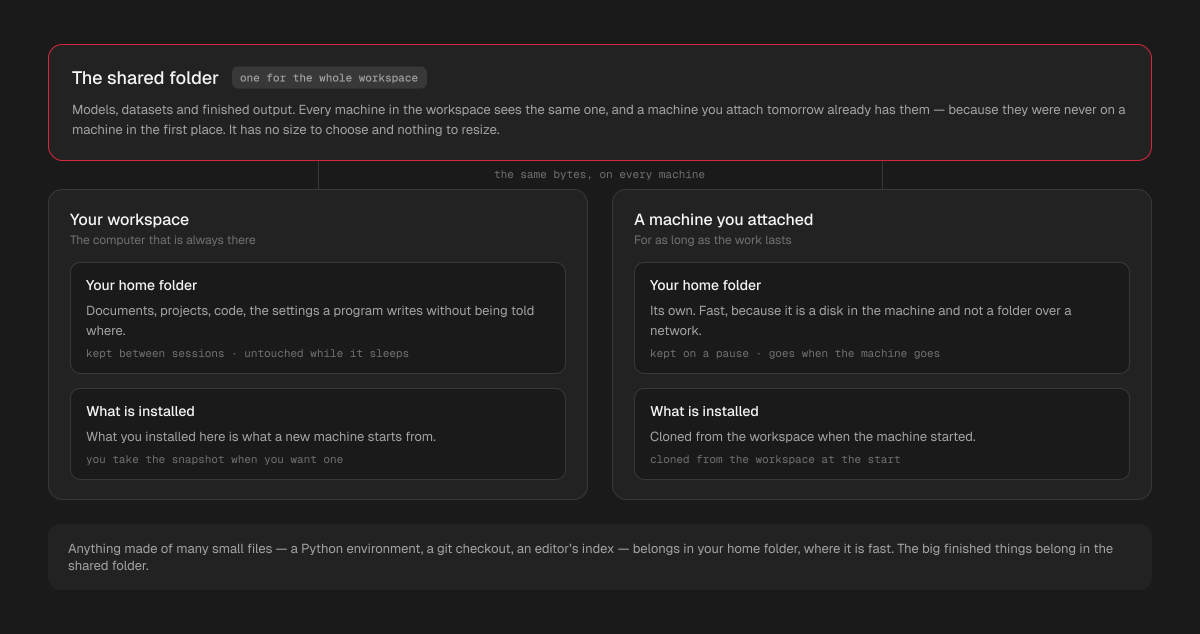
Where you land when you open a terminal or a machine's desktop: documents, projects, code, configuration, the things a program writes without being told where.
The workspace has one, and so does each machine you attach. Neither has a size to choose. It grows when it fills, and what is on it is what you pay for, at $0.15 per GB a month — nothing to provision, nothing to resize, nothing to guess before you have used anything. Delete a few gigabytes and the bill follows the next hour.
You can check what you are paying for with df -h ~ on the workspace or the machine: the Used column is the figure, and it is the same one the invoice reads.
The workspace's home folder is also the one the Hinode application puts in the file manager on a Mac or a Windows PC, so you can drag files in and out without opening a terminal. It is there while the workspace is running.
Keeping the home folder local is deliberate: a home folder shared over a network makes every program that touches many small files crawl, and the programs you use touch thousands of them — a Python environment, a git repository, an editor's index. Local is what makes them behave like they do on a laptop.
Both survive a pause. A machine's home folder goes when the machine goes; the workspace's goes only when the workspace does.
1train-48 finishes training and saves a LoRA
$ python train_lora.py --steps 2000
step 2000/2000 · loss 0.041
saved → ~/shared/loras/
portrait-v3.safetensors
2comfy-96 finds it in its LoRA list
lora_name
The shared folder
One folder for the whole workspace, and the workspace and every machine in it see the same one. This is where models, datasets and finished output belong.
It has no size to choose either. You write to it, and what is in it is what you pay for, at $0.10 per GB a month. A machine you attach tomorrow already has your models, because they were never on a machine in the first place.
It reads large files quickly, and reads them from several machines at once. It is a poor place to build a Python environment or check out a repository — put those in your home folder, and keep the big, finished things here.
Models you download from Hugging Face land here without you doing anything: HF_HOME points at ~/shared/.cache/huggingface on the workspace and on every machine. So a model is downloaded once for the whole workspace and billed at the shared folder's $0.10 per GB a month. To keep a model on one machine instead, set HF_HOME yourself; yours wins.
The shared folder is not on any machine, so deleting a machine does not touch it.
What is installed
When you attach a machine, it starts from a snapshot of your workspace: the programs you installed there and the settings you changed. So a new machine is your machine, not a blank one.
That snapshot is taken when you ask for it, from the workspace, and you can keep several. A machine that is already running is not changed underneath you — it keeps the version it started with, and picks up a newer one the next time it starts.
Which region your files are in
All three are in the region your workspace was created in: the United States (us-east-1) or Europe (eu-central-1), whichever answered your computer faster at the time. A workspace does not move between regions, so that is where your files stay.
Try it
Pick what you do, see what is left
- Home folder on the workspaceKept
- Home folder on the machineGone
- The shared folderKept
- What you installed on the workspaceKept
The machine's own disk goes with it. Nothing in the shared folder was ever on the machine.
What survives what
| Pause the workspace or a machine | Delete the machine | Delete the workspace | |
|---|---|---|---|
| Home folder on the workspace | kept | kept | gone |
| Home folder on a machine | kept | gone | gone |
| The shared folder | kept | kept | gone |
| What you installed on the workspace | kept | kept | gone |
Deleting a workspace ends everything in it, including the address it answered at, and the address does not come back. That is why deleting one asks you to type its name.
